Manage Grepr service accounts
A service account is an identity used to authenticate to resources in the Grepr platform without relying on user credentials. You can use a service account to authenticate to the Grepr REST API, the Terraform provider, CI/CD pipelines, scripts, or any other automated workflow. Each service account has a client ID and client secret that you use to obtain an OAuth2 access token.
To create or manage service accounts, you can use the Grepr UI or REST API.
The following sections describe how to create and manage service accounts in the Grepr UI. To create and manage service accounts with the Grepr API, see the Service Accounts specification.
To learn how to use a service account to authenticate API requests, see Authenticate to Grepr REST APIs. To learn how to use a service account with the Terraform provider, see Manage Grepr pipelines with Terraform.
You must be an Admin or assigned a role with the required permissions to view and manage service accounts.
Create and manage service accounts in the Grepr UI
To manage service accounts in the UI:
- Sign in to the Grepr UI and click your profile icon in the top bar.
- In the menu, select Developer.
- In the left-hand navigation menu, select Service Accounts.

Create a service account
-
On the Service Accounts pane, click Create.
-
In the Service Account Name field, enter a descriptive name for the service account. For example,
terraform-ciorpipeline-automation.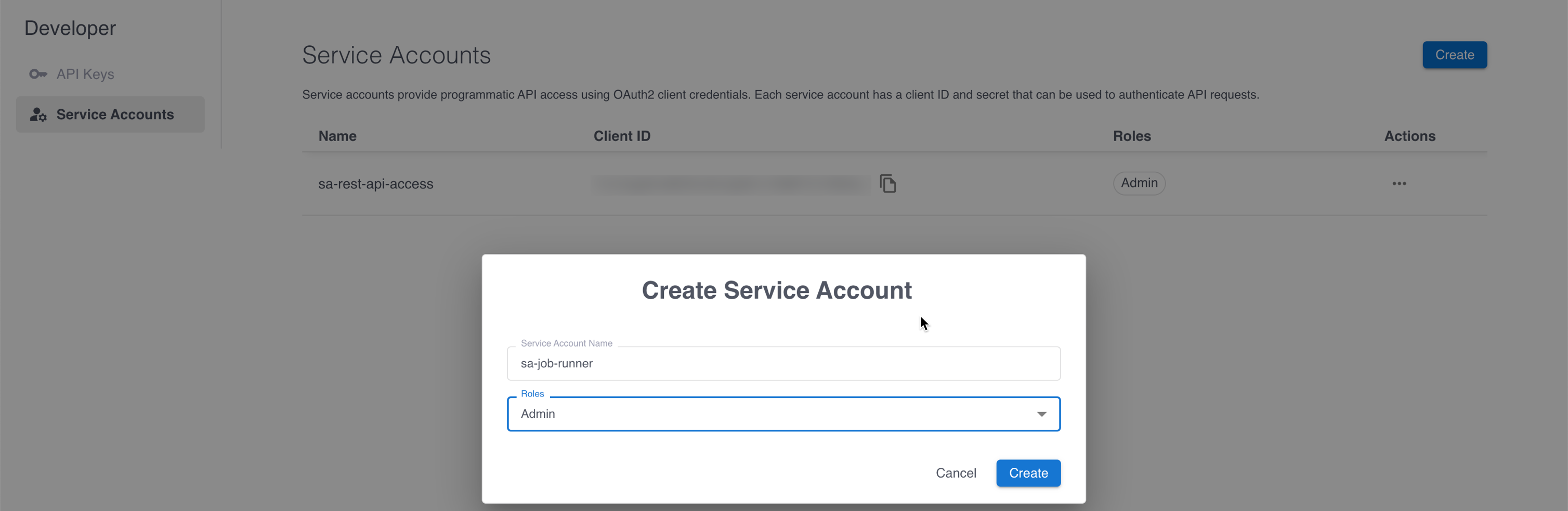
-
In the Roles menu, assign one or more roles to control what the service account can access.
-
Click Create.
-
Copy the Client ID and Client Secret that are displayed.
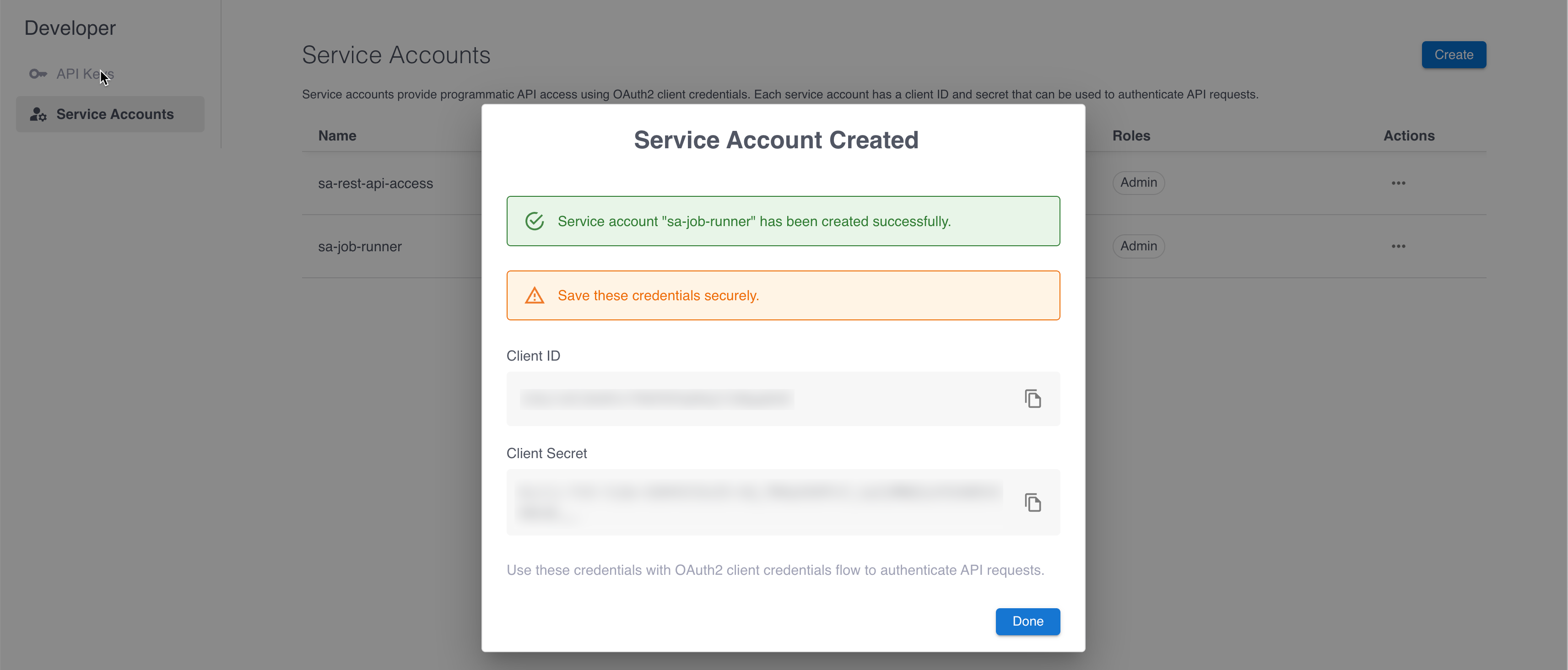
Manage service accounts
To manage a service account, click the three-dot menu in the Actions column for the service account to manage, and select Edit, View Secret, Regenerate Secret, or Delete from the menu.
Deleting a service account immediately revokes all access, and any systems or clients using the account’s credentials will stop working.